LEARNING · CATALOG

Python Automation for Beginners

Learn Python by automating the boring jobs — renaming files, sorting folders, summarising CSV exports. Eight lessons, eight exercises, and a checker that tells you when you've got it right.

Python Automation for Beginners: what's inside

What's included

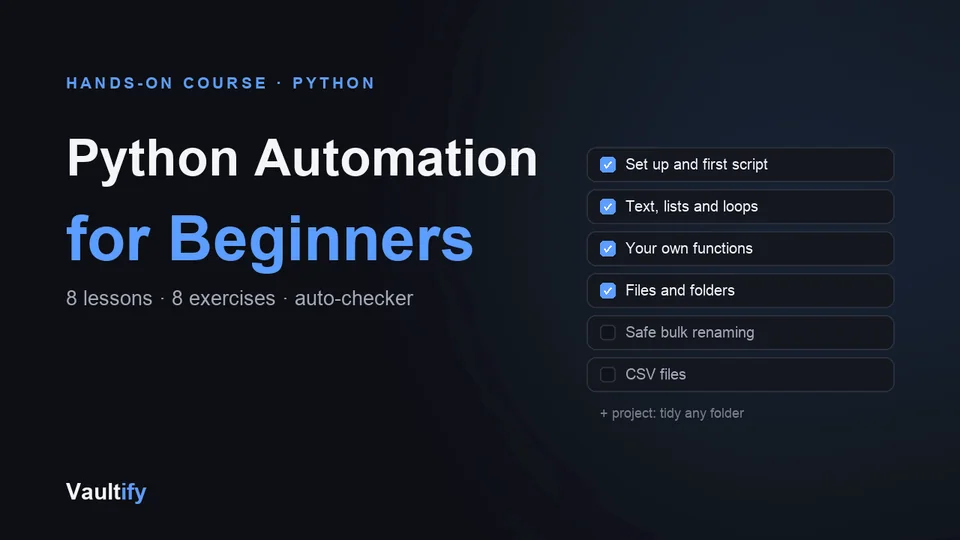
Eight lessons: installing Python and running your first script; variables, text and f-strings; lists and loops; decisions and your own functions; files and folders with pathlib; renaming files safely; reading and writing CSV files; and a final project — a script that sorts any messy folder into sub-folders by type.

Eight exercise files with TODOs to fill in, an automatic checker that runs 44 tests against your code (in temporary folders, so your own files are never touched), sample data, a finished solution for every exercise, and a short quiz in each lesson.

How it works

Read a lesson in your browser, open the matching exercise in any code editor, fill in the gaps, and run python3 check.py 3 to see which tests pass. Lesson 1 walks you through installing Python on Mac or Windows. Everything uses Python's standard library — no extra packages.

Safety is built in from the start: every script that changes files does a dry run first and never overwrites anything.

License

Personal use — work through the course and use your scripts in your own work. Reselling or redistributing the course itself isn't permitted. Includes free lifetime updates.

Is it right for you?

Great if you're

  • Complete beginners who want to learn Python by doing something useful
  • Office workers and freelancers who handle lots of files and spreadsheets
  • Anyone who wants to automate repetitive computer tasks

Not the right fit if

  • You already write Python regularly
  • You want web development, data science or AI: this course is about automating everyday file tasks

What you'll be able to do

What's in the download

course.htmlEight lessons with quizzes
exercises/ex1_hello.pyEight exercise files, ex1 to ex8, each with TODOs to fill in
exercises/check.pyThe automatic checker: 44 tests across the eight exercises
exercises/expenses.csvSample data for the CSV lesson
exercises/solutions/ex8_tidy.pyA finished solution for every exercise, in solutions/
README.mdHow to start

What you need

A Mac, Windows or Linux computer with Python 3.9 or newer (free; Lesson 1 walks you through installing it). No extra packages.

Questions buyers ask

Do I need any programming experience?

None. Lesson 1 starts with installing Python and running a one-line script.

How does the checker work?

Run python3 check.py 3 and it tests your exercise 3 against real cases, in temporary folders so your own files are never touched.

Will the final script mess up my files?

It's built to be safe: it does a dry run by default and never overwrites anything. Still, the course recommends trying it on a copy of a folder first.

Can I try it first?

Yes. The first two lessons are free on the preview page.

Automate the boring parts

Eight lessons, eight checked exercises, one useful script.

Buy Now — $29