LEARNING · CATALOG

Spreadsheets for Small Business

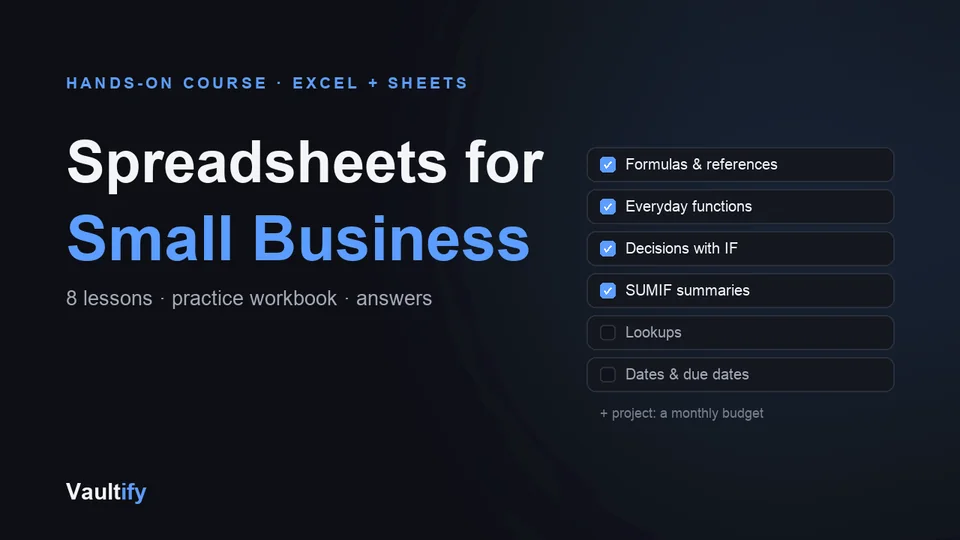
The spreadsheet skills a small business actually uses — formulas, IF, SUMIF, lookups and dates — learned by doing, in a practice workbook built for the course.

Spreadsheets for Small Business: what's inside

What's included

Eight lessons: cells and formulas; fixed references with $; the everyday functions; decisions with IF, AND and OR; summaries with SUMIF and COUNTIFS; lookups with XLOOKUP and VLOOKUP; working with dates and due dates; and a final project — a monthly budget with conditional formatting, a frozen header and a chart.

A practice workbook with a tab for every lesson and yellow cells for you to fill in, each lesson telling you the answer to expect; a solutions workbook with every formula filled in; and a short quiz in each lesson.

How it works

Read a lesson in your browser (it works offline and saves your progress), then switch to the practice workbook in Excel or Google Sheets and fill in that lesson's tab. The examples are real small-business tasks: order totals, VAT, expenses by category, overdue invoices, a budget.

Works in Excel 2021 and Microsoft 365 on Mac and Windows, and in Google Sheets. Older Excel versions lack XLOOKUP, so the lookup lesson teaches VLOOKUP too.

License

Personal use — work through the course and use the workbooks in your own business. Reselling or redistributing the course itself isn't permitted. Includes free lifetime updates.

Is it right for you?

Great if you're

  • Small-business owners who run their numbers in spreadsheets
  • Freelancers who track invoices, expenses and budgets
  • Anyone who copies formulas from the internet without knowing why they work

Not the right fit if

  • You already use pivot tables, lookups and conditional formatting comfortably
  • You need advanced Excel such as macros, Power Query or VBA

What you'll be able to do

What's in the download

course.htmlEight lessons with quizzes
practice.xlsxA practice tab for every lesson, with yellow cells to fill in
solutions.xlsxEvery formula filled in, plus the finished budget
README.mdHow to start, in Excel or Google Sheets

What you need

Excel 2021 or Microsoft 365 (Mac or Windows), or Google Sheets, which is free. Older Excel works too; the lookup lesson also teaches VLOOKUP.

Questions buyers ask

Excel or Google Sheets?

Both. Every lesson works in either, and where they differ the lesson says so.

How will I know if my formula is right?

Each lesson tells you the answer to expect, and the solutions workbook has every formula filled in.

Do I need to be good with numbers?

No. The examples are everyday business tasks: order totals, VAT, expenses and overdue invoices.

Can I try it first?

Yes. The first two lessons are free on the preview page.

Make your spreadsheets do the work

Eight lessons, a practice workbook, and every answer.

Buy Now — $24